



Travel agents may handle dozens of bookings at once. Every day there are new payments from tourists, every day you have to manually open the bank, find the payment, mark the tour payment in the CRM (otherwise how do you keep track that nothing's been forgotten?) Sounds like a trifle — but it piles up daily, breaks your rhythm and sometimes causes mistakes. And overall it's pretty tedious — copying things by hand from one place to another. And what's tedious, we don't really feel like doing.
That's why we added the ability to import payments from banks to Docturist and started with an integration with the Tochka bank API. Here's a case study of how we connected Tochka to Docturist: we built automatic payment notifications, smart linking to bookings, and creating payment links right from the booking page. And about a few non-trivial things we had to figure out along the way. Technical and not so technical.
Given
Travel agents work with money all the time, and there are two main operations: accept a (pre)payment from a tourist, send a payment to the tour operator. Docturist already keeps a payment history and shows it in a nice timeline:
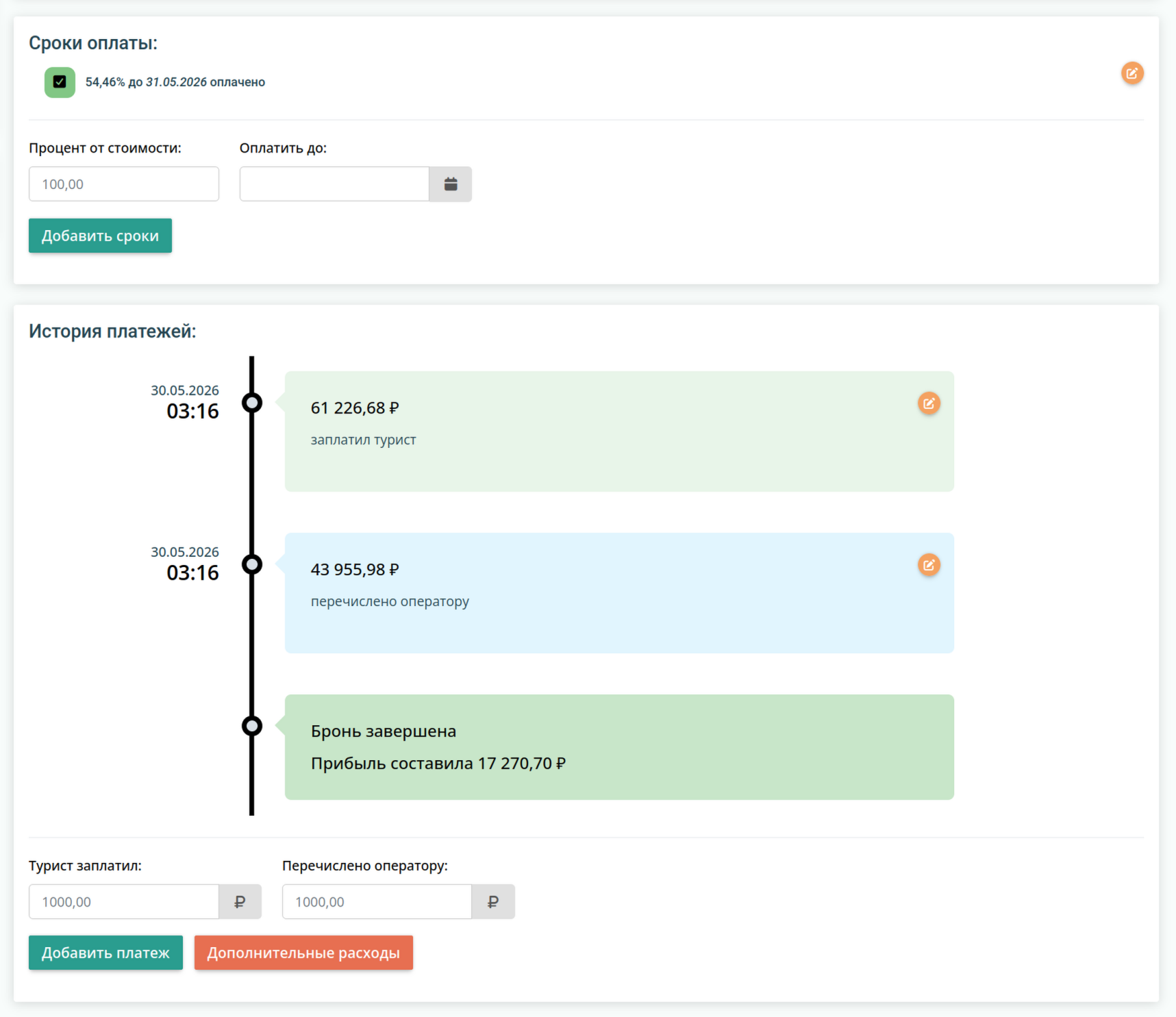
Task: build something more automated than diligently copying incoming payments from the bank client. That is, receive incoming payments in Docturist.
Besides, agents often accept payment via links: in the banking app they create a link to pay a certain amount by card and/or SBP (Faster Payments System) and send it to the tourist. It's a kind of lightweight acquiring, where you don't have to build a full-fledged payment form. And the bank doesn't mind (if certain rules are followed). Task 2: why not let users create payment links right from the Docturist interface. So they could copy them and send them to clients without having to open the banking app.
Here's what exactly we taught Docturist to do:
— receive notifications from the bank about every incoming payment;
— automatically link a payment to a booking (when possible);
— let the user link a payment to a booking manually (if the automatic linking didn't work out);
— create links for payment by card and/or SBP.
What we ran into along the way
For incoming payments Tochka sends notifications to registered webhooks, and webhooks can be registered programmatically. The user just needs to add an integration token and set a few permissions in the bank client. Webhook notifications arrive almost instantly.
Webhooks as a signed JWT
The first thing we had to figure out was the format of incoming notifications from the bank. Unlike services that send plain JSON with a signature in a header, Tochka sends the entire webhook body as a signed JWT. This means you can't just read the JSON — you first need to verify the signature with the bank's public key.
The controller reads the raw request body and decodes the JWT using the firebase/php-jwt library:
$token = $request->getContent();
$pem   = config('services.tochka.jwt_public_key_pem');
$data  = JWT::decode($token, new Key($pem, 'RS256'));
On any decoding error we log it and still respond with http 200. This is important: Tochka interprets any non-200 as a failure and will redeliver the notification. This way the business logic doesn't run, but the bank doesn't go into a resending loop either.
Testing this mechanism required separate infrastructure setup: an RSA pair is generated right in the test class, the public key is put into the config, and then we sign a test payload the same way Tochka does and decrypt it like the live application.
Smart auto-linking
When a payment comes from the bank, the system tries to find the booking automatically — by the payment purpose text (e.g. "Payment for booking DEM-001"). Here a classic string search problem arises: if the agency has bookings DEM-10 and DEM-100, searching for DEM-10 will find both. But we don't want to make mistakes linking bookings to payments, so we only link automatically if exactly 1 result is found.
If there's at least one more booking whose number starts with the found one, linking doesn't happen and the payment stays unlinked. The user will see it in the feed and link it manually. To make linking easier, the search filters out old, completed, paid and cancelled bookings.
Very smart auto-linking
So that users don't forget to include the booking number in the payment purpose, we made the default text for a generated payment link already include the number. But real-world use showed that almost all payments slip past and don't get linked to anything.
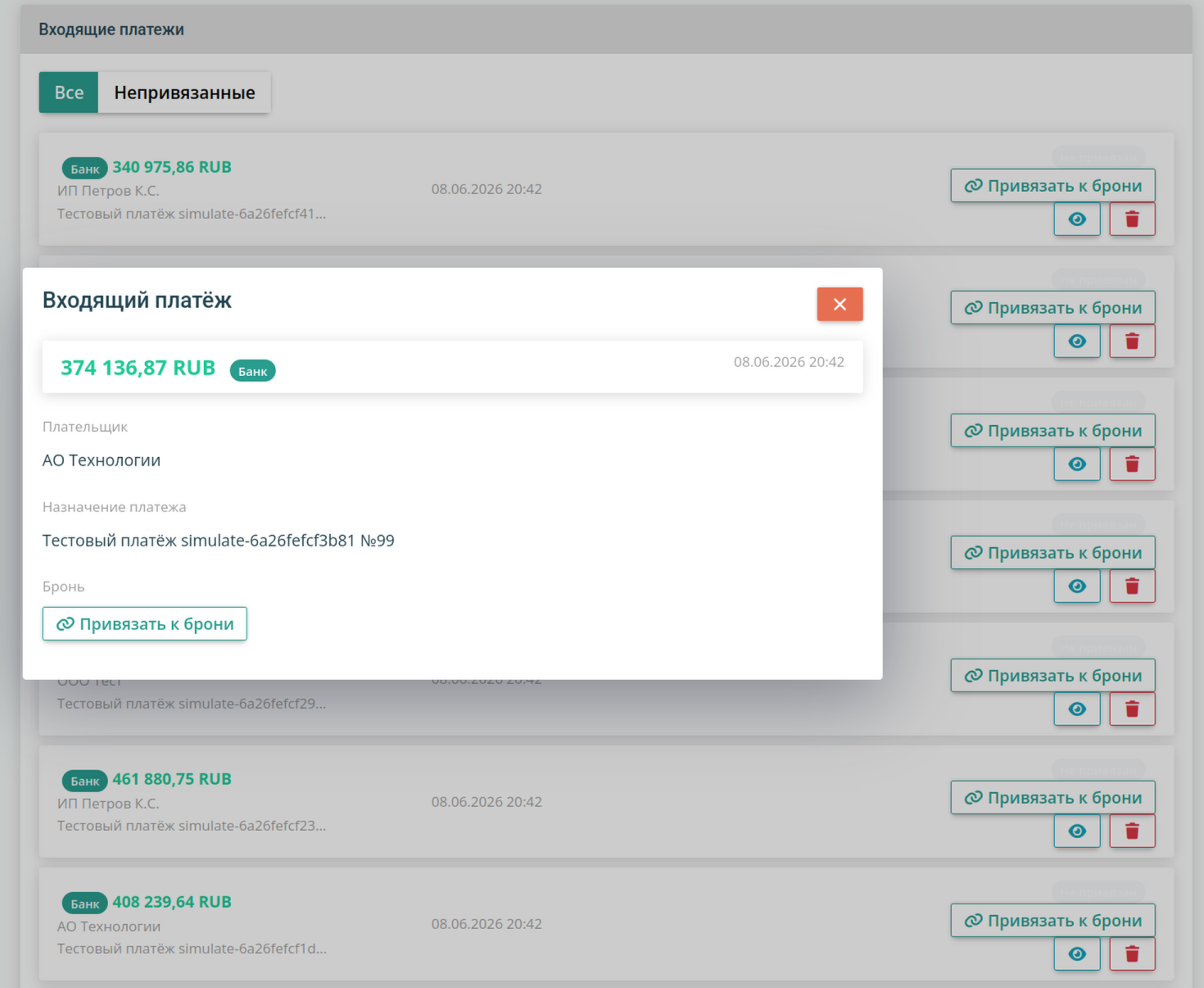
After some investigation it turned out that although payments are shown in the bank client with a proper purpose like Tour payment Full Name, booking number, as we intended, the webhook for some reason receives Payment by QR code ID QRABCD12345678 … instead. We had to implement an additional API method that, on receiving a payment with such a description, calls Tochka once more to get info about that QR code. In that info the payment purpose is already shown correctly, and the payment can be linked to the booking by it.
Currency conversion when linking
Tochka naturally sends amounts in rubles, since payments in Russia can only be made in rubles. But bookings in Docturist can be entered in USD and EUR too, since tour operators may work in these units and accept payments at their exchange rate. When a user manually links a ruble payment to a booking in EUR, the system has to calculate the amount in EUR to record it in the right currency. And each tour operator has its own conversion rate.
For these cases we made two scenarios:
- Foreign currency booking + override → the user manually enters how many USD/EUR the payment amounts to (e.g. "150 EUR"), we use this value in the saved booking payment and store the calculated exchange rate along with it.
- Foreign currency booking, no override → we take the latest Central Bank rate (it's updated daily). In this case we flag the linked payment as needing attention, since an automatic calculation at the Central Bank rate is an approximate calculation, and operators' rates are always higher.
Default values when creating payment links
While using the integration, it turned out that in many cases users want to create payment links with the same preset, e.g. "Card off, SBP on". A mistake in choosing the payment method can lead to financial losses (bank fees for acquiring and SBP are very different), which of course is unacceptable.
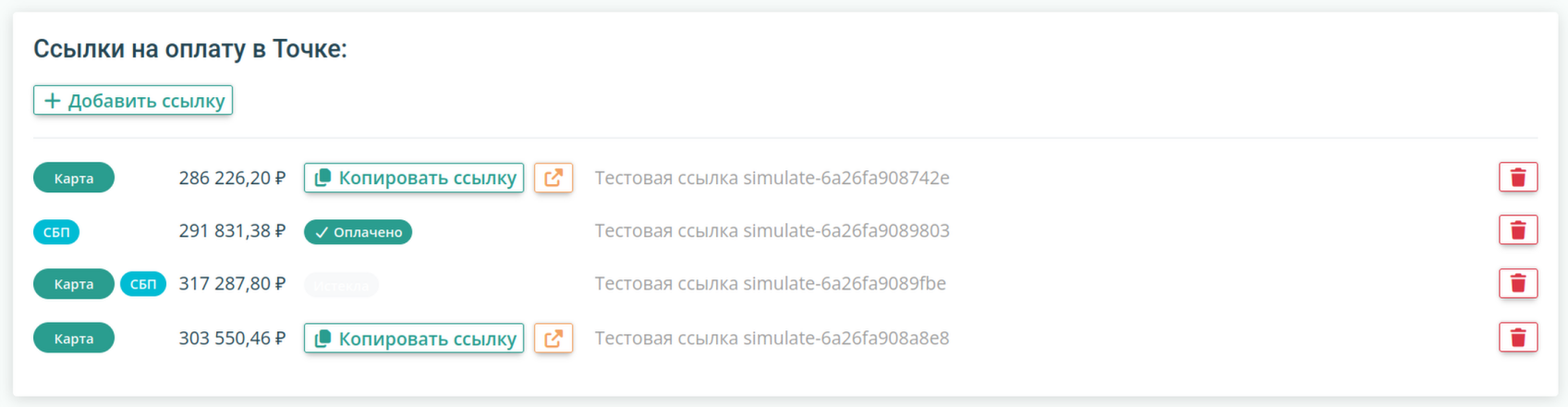
We had to implement a default setting for users specifying which payment methods are on and which are off by default, to reduce the chance of a mistake.
Sandbox
At the very start of development, the Tochka API documentation revealed that they don't have a full-fledged sandbox for making "toy" payments, only a fixed set of test requests that, if made correctly, return fixed responses. Test requests are of course not useless, but without a sandbox it's impossible, for example, to run a full test cycle: generating a payment link → paying it → receiving the payment → parsing and linking it to a booking. Only piece by piece.
In fact, link creation mostly had to be tested live, since it only works on accounts that already have acquiring activated, and for other accounts it throws a 403 "Forbidden by consent" error.
But on the plus side, the bank has an API integration support line that actually answers by email and even gives detailed information that couldn't be found in the documentation.
Results
100+ tests for all sorts of cases. We built JWT signature verification, deduplication, auto-linking with edge cases, currency conversion, access permissions. The API integration works with Laravel Horizon, meaning all incoming and outgoing processes (payment notifications, payment link creation, user registration in the system, webhook registration) run asynchronously in queues. And to notify waiting users we use websockets via Reverb.
The implementation let us build and test the logic for importing payments and creating payment links, which doesn't have to be tied to one bank. Now we need to add a layer of abstraction between payments/links and the bank API, and other banks can be connected to the system with less effort. The next integration candidate is Alfa.
The integration is already running in production. Agents create payment links right from the booking page and send them to tourists — without switching to the banking app. Incoming payments appear in the system automatically and in most cases link themselves to the right booking. Only what the system couldn't recognize unambiguously has to be sorted out by hand.